
 Haoru UWB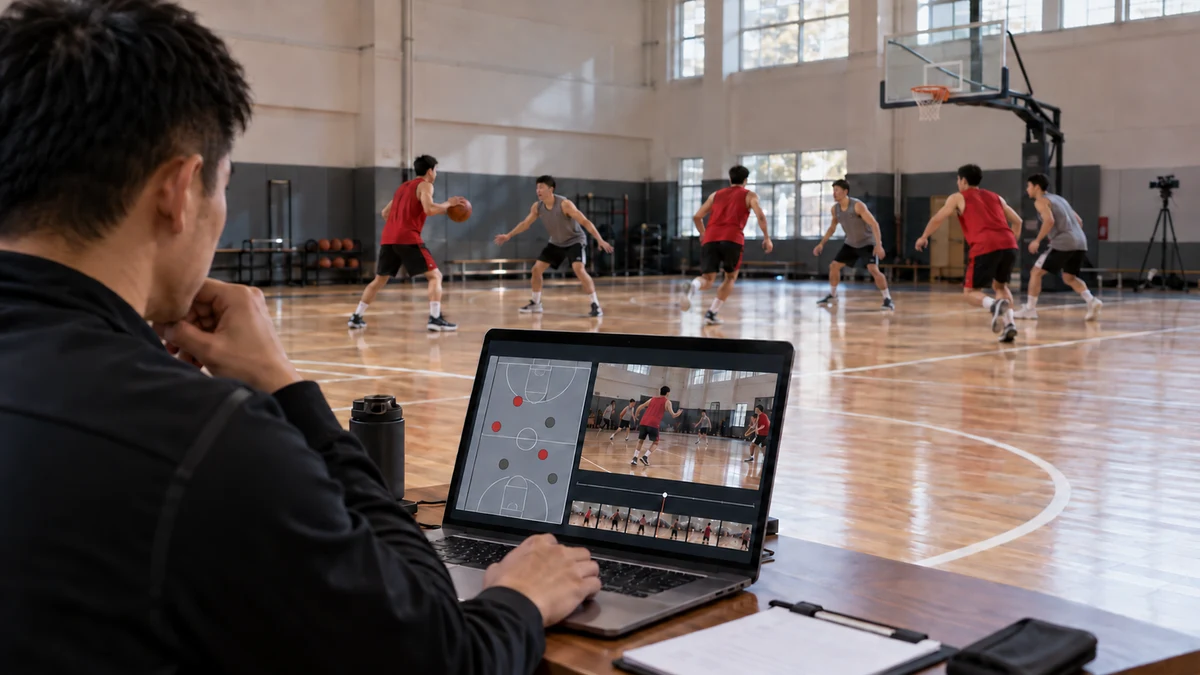
Project requirements
1. Keeping track of individuals in group recordings Similar clothing, occlusion and crossing paths can make participants difficult to distinguish using video alone. In wide-angle footage, coaches often need to replay a sequence several times to confirm who is who. 2. Aligning location data with video Location data and camera recordings come from different devices. A time offset may cause the trajectory to show that a participant has reached a location while the video still shows them at an earlier position. This affects identity matching and clip retrieval. 3. Mapping physical coordinates to video coordinates A participant's position in the training area appears at different locations in the image depending on the camera angle and perspective. The platform must establish a mapping between the physical area and the video image before location data can help identify people in the footage. 4. Defining key moments around training objectives Entering a zone or completing a shuttle run is a different type of event from taking a shot, making a pass or correcting movement technique. Location data can help detect spatial events, but specific sports actions still require video analysis or coach annotations. 5. Ensuring positioning devices do not interfere with exercise Tags must be worn comfortably and secured reliably without compromising safety during exercise. On-site testing is also needed to verify data quality during fast movement, body occlusion and activity involving closely grouped participants.
Solution
Application Background
During amateur basketball and football training, as well as group fitness classes, cameras usually record the entire training area. Multiple participants appear in the footage at the same time, and their positions constantly change. Coaches can find it difficult to locate a particular participant's off-ball movement, a team interaction or a training moment that needs correction.
The traditional approach relies on manually watching recordings, identifying participants and noting timestamps. As participant numbers and recording lengths increase, organizing footage and reviewing individual performance become increasingly time-consuming.
We integrate UWB positioning into gym and sports club management platforms to add a spatial index showing who was where and when. This helps coaches move quickly from a full-session recording to an individual participant's training clips.
UWB, or ultra-wideband, uses wide-bandwidth wireless signals for distance measurement and positioning. It provides location data linked to the identities of participants wearing tags.
The Haoru Technology Solution
We combine UWB person tracking with the customer's existing training recordings and management platform to link participant identities, movement trajectories and video clips.
Before training begins, the platform links each participant's account to a positioning tag. During the session, the positioning system continuously outputs tag IDs, positions and timestamps. The platform aligns this data with the video of the same session, then maps physical positions to locations in the image based on the camera viewpoint.
After selecting a participant, a coach can view their movement trajectory and jump to the corresponding point in the recording. Where participants cross paths or are briefly obscured, the platform can use trajectories before and after the event together with video person tracking to assist identity matching and reduce manual searching.
AI-based video analysis can also be integrated according to project requirements. UWB provides identity and spatial position information, while video AI helps recognize people and actions. These complementary data sources support the retrieval of key clips for each participant.
How It Works
Step 1: Link participant identities to tags.
Participants collect or wear their assigned tags. The platform records the participant-to-tag mapping for the training session.
Step 2: Synchronize location data and video recording.
The positioning and video systems use a common time reference and compensate for capture delays, allowing both data sources to be cross-referenced by time.
Step 3: Map the training area to the video image.
Using site calibration and camera positions, the platform maps participant trajectories to candidate regions in the video to help match participants to people in the footage.
Step 4: Identify individual key moments.
Training rules are used to flag location-related events such as entering a designated zone, turning during a shuttle run or completing a route. Action-related events are identified using coach annotations or AI-based video analysis.
Step 5: Provide access to individual training reviews.
Coaches can click an event or a timestamp on the trajectory to jump to the corresponding video clip and review the full sequence before and after the event.
Solution Benefits
Search by participant and event
Coaches no longer need to watch a recording from the beginning each time. The platform can filter clips by participant, training area and event time, making reviews more focused.
Use spatial data to support identity matching in video
Tag identities and continuous trajectories provide additional clues for matching participants to people in the footage. This helps address identification difficulties caused by similar clothing, wide-angle recording and brief occlusion.
Link training videos to individual profiles
A participant's trajectories, coach annotations and video clips from different sessions can be managed together, making it easier to track training performance over time.
Support phased implementation
The project can begin with participant positioning, trajectory playback and navigation to specific video timestamps. Identity matching, event filtering and individual clip organization can then be added progressively.
Results
60% less time spent finding footage of a selected participant: Identity, trajectory and time indexes reduce the need to repeatedly watch entire group recordings.
50% higher efficiency in organizing individual training clips: The platform groups candidate clips by participant and event, reducing manual filtering and classification.
35% higher efficiency in coaches' training reviews: Direct access to key moments that need discussion leaves more time for technique coaching and training feedback.